

How object storage works
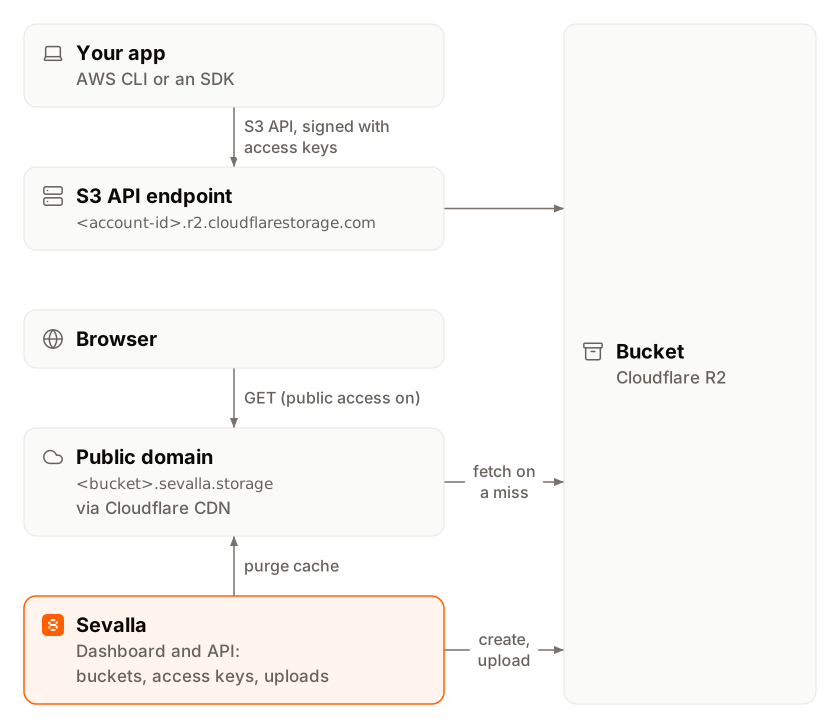
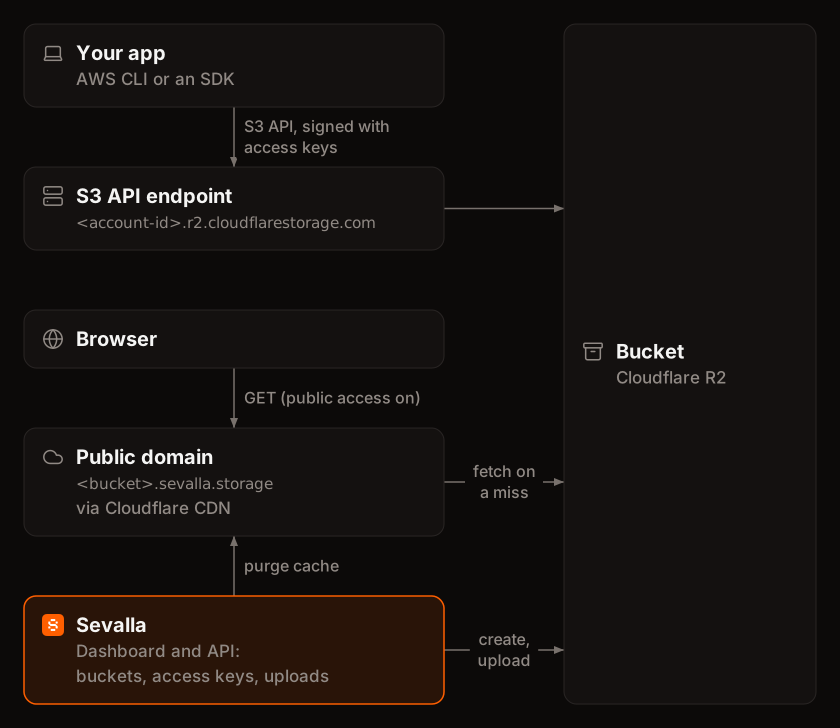 Each bucket has its own name, endpoint and keys, all on the bucket’s Settings tab:
You work with the files in two ways:
- In the dashboard. The bucket’s Objects tab is a file browser: open folders, upload files and folders up to 300 MB per file, preview images, download and delete files. See Manage objects.
- Over the S3 API. Your applications, the AWS CLI and any S3-compatible tool connect with the endpoint, the bucket name, the region
autoand the keys. Use it for large files and for anything automated. See Connect with the S3 API.
images/2026/logo.png, and the dashboard shows each part before a / as a folder.
Objects are private: every request needs the bucket’s keys. To let browsers load files, either create presigned URLs, which expire, or turn on public access, which serves every object at https://<bucket-name>.sevalla.storage/<key> through Cloudflare’s CDN.
Locations
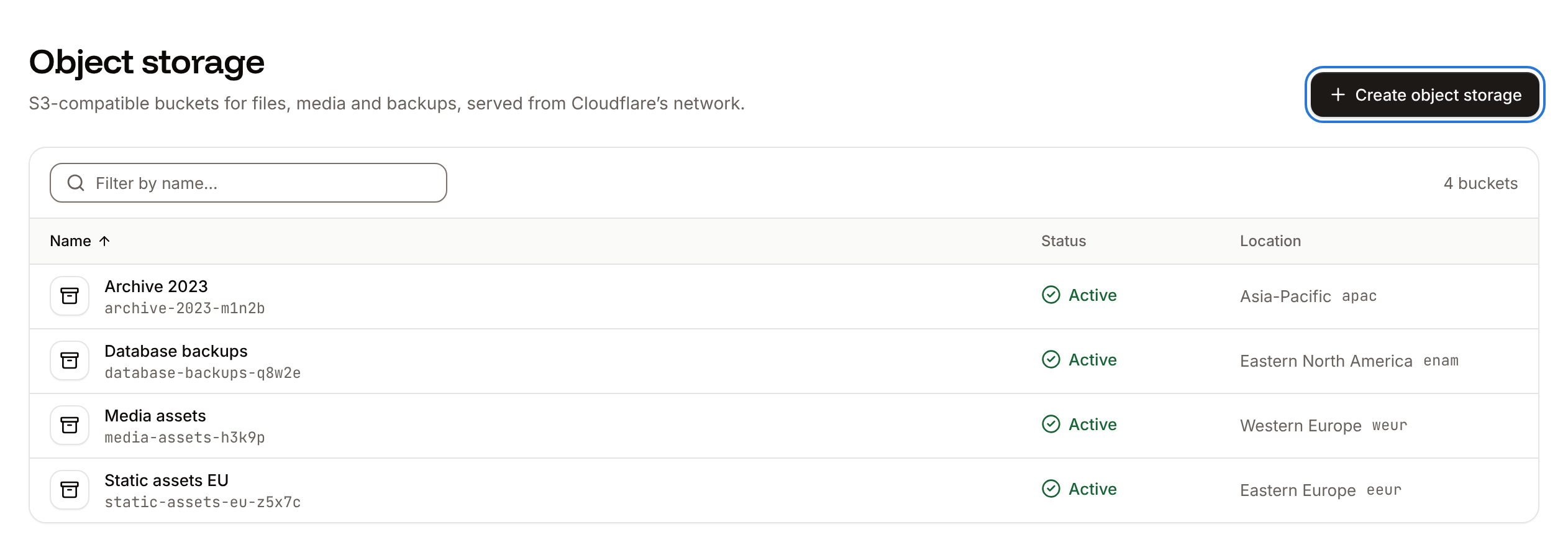
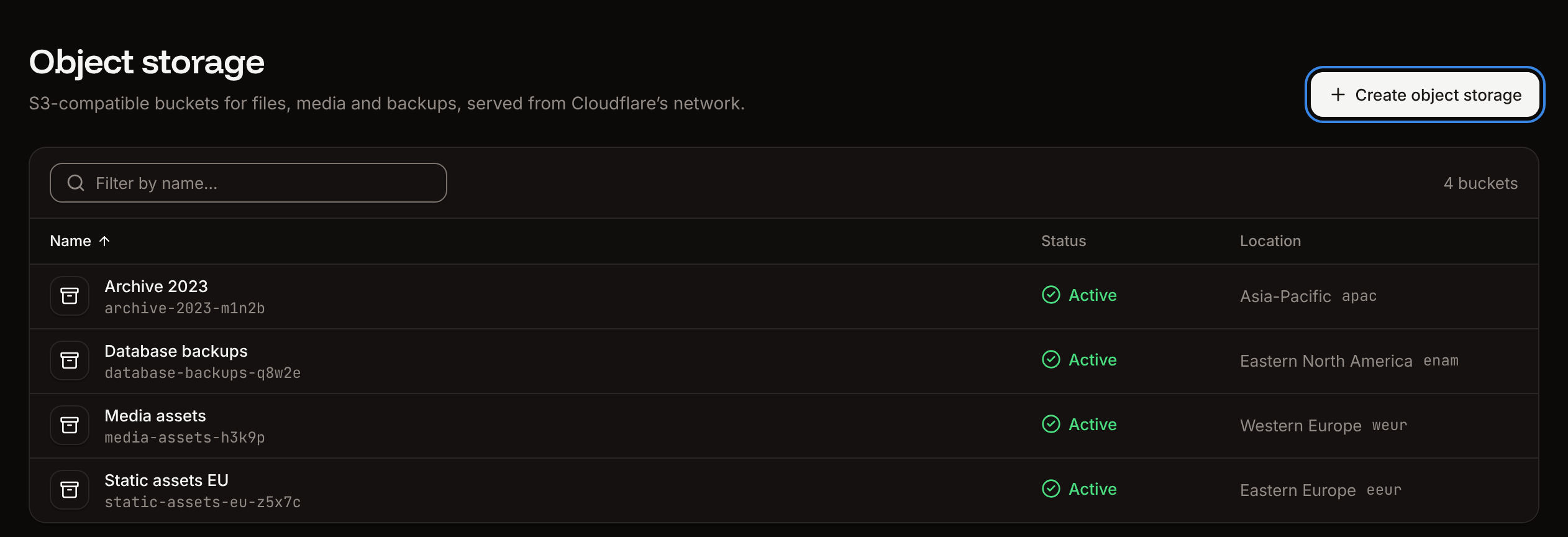
You choose a bucket’s location when you create it, and you can’t change it later. The location says where most access to the bucket comes from: pick the one closest to the applications and people that use it. It isn’t a data residency guarantee.
These are Cloudflare R2 locations, not the locations applications and databases run in. The create sheet preselects Western Europe when your browser’s time zone is in Europe, and Western North America otherwise. See Locations for every service’s locations.
Bucket statuses
The Object storage list shows each bucket’s status.Access
Company owners, admins and developers can create, update and delete buckets. Updating covers uploading files, rolling keys, public access, CORS rules and purging the cache; deleting covers deleting files and the bucket itself. To give someone access to specific buckets only, invite them with the Object storage administrator role. See Users and roles.Limits
Pricing
Buckets are billed for stored data only, at $0.02 per GB per month, with no free allowance. Operations such as uploads, downloads and listing, and egress (data sent out of the bucket), cost nothing extra. Creating a bucket needs a payment method on the company. See Pricing for how storage is measured, and the Usage page for what each bucket has cost this period.Use object storage with other services
- Applications read and write a bucket with an S3 SDK. Store the endpoint, bucket name and keys as environment variables. See Connect with the S3 API.
- Databases can send their backups to a bucket as an external backup target. See Backups. A bucket that’s a backup target can’t be deleted, and rolling its keys updates the backup target for you.
- Frameworks: step-by-step guides for Node.js, Django and FastAPI.
Create a bucket
Name it, pick a location and get its keys.
Manage objects
Upload, download, preview and delete files in the dashboard.
Connect with the S3 API
Endpoint, region and keys, with JavaScript, Python and AWS CLI examples.
Bucket settings
Roll keys, public access, CORS rules, cache and deletion.